What Build and Conquer buildings should I place first?
Roads, then neighbourhoods with farms, then shops. Power plants and water networks scale with demand. Factories wait until the grid holds.

Build and Conquer buildings: roads, neighbourhoods, farms, shops, factories, power plants, water. Place 103767961452227. Stats TBA. Unverified names flagged.

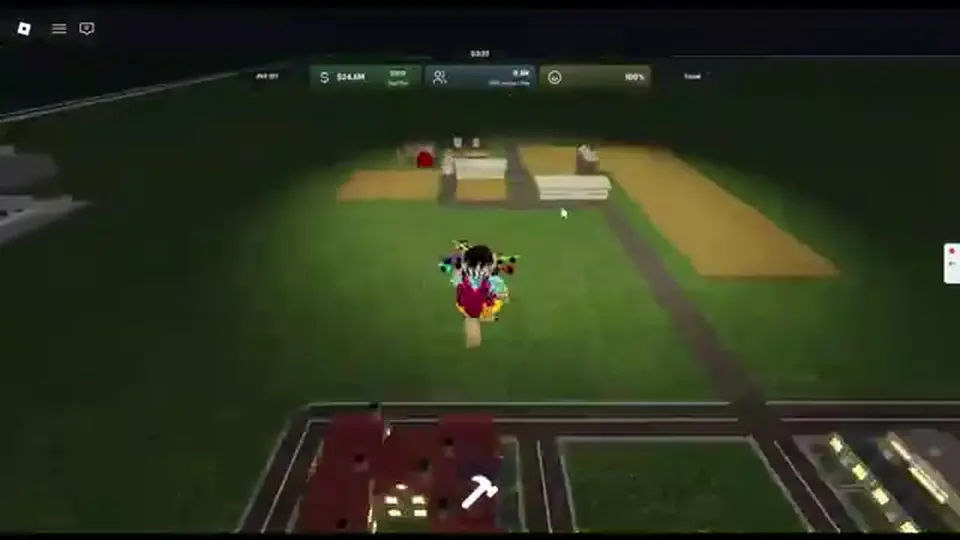
Housing footprints and farm/shop placements on Place 103767961452227.
~10 min read
Build and Conquer buildings on Roblox Place 103767961452227 by The Slop Company follow the official listing: neighbourhoods, roads, farms, shops, factories, power plants, and water networks — then research, military, and tunnels. Costs, power draw, and output stay TBA. Verified October 12, 2026 on Build and Conquer [V0.1]. Play on Roblox.
| Fact | Detail |
|---|---|
| Platform | Roblox · Desktop, Console, Mobile, Tablet |
| Genre | Strategy · city builder + military contest |
| Place | 103767961452227 |
| Developer | The Slop Company |
| Listing kinds | Roads, neighbourhoods, farms, shops, factories, power plants, water networks, military, tunnels |
| Research buildings | Unlock technology — factories still manufacture |
| Numbers | Costs / output / power draw TBA |
| Icons | None on this wiki — text catalogue |
| Lookalikes | Not C&C structures, not iOS BNC Studios buildings |
Start here if you searched Build and Conquer buildings and landed on a fan table with Barracks, Ore Refinery, or iOS Gold Mines. Those are other games. The Roblox listing for this Place names the kinds below. Stats stay TBA until a session pass.
| Kind | Role | Status |
|---|---|---|
| Roads | Connect every footprint to the city loop | Listing |
| Neighbourhoods / housing | Population and future workers | Listing |
| Farms | Food for that population | Listing |
| Shops | Turn residents into cash | Listing |
| Factories | Production and later manufacture support | Listing |
| Power plants | Capacity so buildings actually run | Listing |
| Water networks | Capacity tied to population and industry | Listing |
| Research | Unlock technology — not a finished vehicle | Listing (function) |
| Military | Troops, defense, later manufacture | Listing |
| Tunnels | Deploy to the mainland | Listing |
The description walks empty plot → neighbourhoods and roads → farms and shops → factories → power plants and water → large cities, then research, vehicles, missiles, and tunnels. That sentence is the catalogue. A Build and Conquer buildings page that leads with silos is skipping the listing.
No reliable stills of every HUD icon exist for this wiki yet, so the tables stay text. Community recaps still help with density habits — those numbers are marked Unverified in later sections.
Roads and neighbourhoods are the first two kinds you actually place. That is the next section.
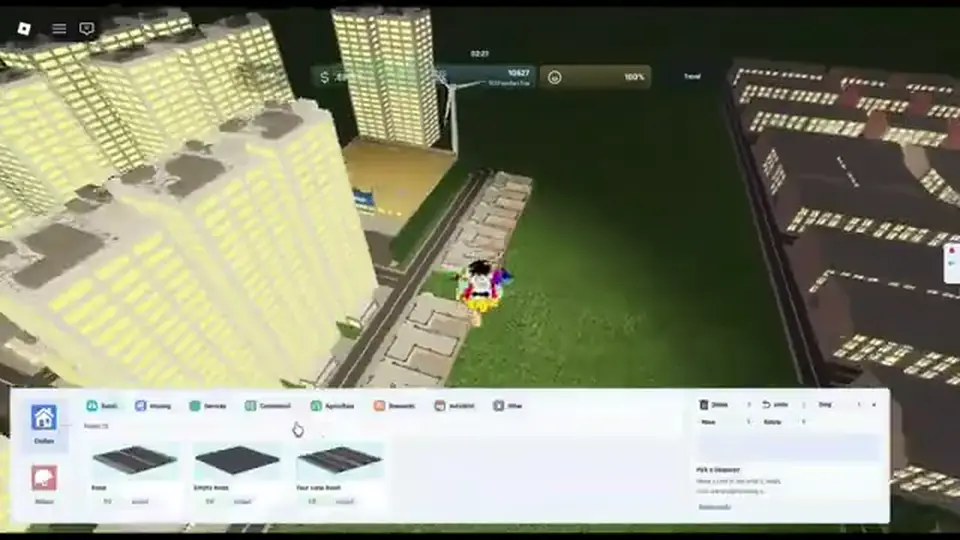
Roads are the listing’s first neighbourhood tool. Build and Conquer buildings that sit off the net do not feed population, jobs, or cash. Lay a spine you can extend, then stubs for farms and shops. Do not fill the plot with housing and hope a road appears later.
| Piece | Job | Beginner rule |
|---|---|---|
| Roads | Connect every footprint | Spine first, then stubs — never isolated pads |
| Neighbourhoods / housing | Population and workers | On the road, next to food, not inside factories |
| Apartments (HUD label) | Higher density housing in some menus | Community — use if the menu shows them; pop TBA |
| Suburbs (recap habit) | Lower density edge housing | Community — optional flavour, still needs farms |
Community HUD recaps open Housing → Apartments and place a mid-rise footprint. One recap reads about 32 population when the building finishes, and about 48 after it is upgraded — both Community / Unverified, not official listing stats. Use them as a packing hint: narrow mid-rise pads put more people on one road stub than sprawling suburbs.
Construction takes time. A placed footprint can sit unfinished while you pan the camera. Do not queue a second district until the first road actually connects. If cash dries mid-build, finish food and shops before another block.
With a connected neighbourhood, farms and shops are the next pair — food keeps people alive; shops pay for the next road.
Farms exist to feed population. Shops exist to convert that population into money. The listing names both; it does not publish rates. If homes go up without farms, workers starve. If farms go up without shops, you feed people who never pay for power plants.
| Cash lever | What it does | When to use it |
|---|---|---|
| Farms | Food for population | Same session as first housing |
| Shops (listing name) | Income from residents | As soon as people live on the road |
| Supermarket | Community shop tier in some HUDs | Unverified — use if the menu shows it; stats TBA |
| Mall | Community later shop tier | Unverified — not a listing heading |
| Factories | Production, not first-hour cash | After power, water, and shops hold |
A community money recap repeats two words: shops and residents. Expensive housing is more value *to the shops*, not a cash building by itself. That matches the listing: neighbourhoods grow the city; shops harvest it.
Do not wait for mainland occupation to “fix” income. Occupying a mainland city is a later PvP step in community recaps. Early Build and Conquer buildings stay on the home plot: connected shops next to housing, not a tunnel raid.
Cash only matters if the grid can spend it. Factories, power plants, and water networks are the next bottleneck.
Matched by build plan, shared topics, and guide progression — not random related links.
The listing asks you to manage money, workers, population, resources, happiness, power, research, and production together. Factories are production. Power plants and water networks are the capacity that lets production run. Place factories on a solvent grid, not as a day-one flex.
| If this meter dips | Building to check first | Do not do this |
|---|---|---|
| Blackout / unpowered jobs | Power plants | Queue another factory |
| Water warning / stalled homes | Water networks | Add more apartments on the same stub |
| Idle workers at factories | Road connection, then power/water | Place a second industrial pad |
| No cash to run industry | Shops next to housing | Spend the last coins on military |
| Happiness crash near industry | Buffer factories off neighbourhoods | Park plants against mid-rise housing |
| Production queued, output zero | Farm and shop inputs first | Blame “missing silos” |
Add capacity as neighbourhoods and factories come online, not after happiness has already tanked. Exact draw and output stay TBA. Community layout habit puts plants off the densest homes and factories on a spur — that is not an official blueprint; details live on city layout.
Factories later support vehicle and missile manufacture. That still waits on research unlocking the node and on a city that can pay the bill. Meter repair order is on economy.
Once the grid holds for a full construction cycle, research buildings, military, and tunnels stop being a trap. Until then they spend the last of your cash.
Official copy: research new technology, then manufacture vehicles and missiles. Those are two steps. A research building (or research action) unlocking a node does not put a truck or a missile on the map. Factories and military buildings still have to produce.
| Kind | Does | Does not |
|---|---|---|
| Research | Unlock technology | Spawn vehicles or missiles by itself |
| Military buildings | Host troops, defense, later manufacture | Replace shops as income |
| Tunnels | Deploy troops to the mainland | Print first-hour cash |
| Factories (again) | Manufacture after unlocks | Feed population |
Community recaps say the first military options show around city level 2, with a population gate near 250. Treat both figures as Community / Unverified. Even if the menu lights up, early guns are described as expensive relative to a poor plot. Solvent shops and a live grid come first. Full systems sit on military.
Tunnels deploy to the mainland. Community money recaps warn that stepping onto the mainland turns the home base into a PvP target. Occupying a mainland city is a later bonus in those recaps — it is not a Build and Conquer buildings shortcut. Missiles wait on missiles; trucks on vehicles.
If the HUD shows names the listing never used, the next section is the Unverified fence — do not promote them as official kinds.
Starter recaps name extra HUD entries that the Roblox listing does not. This catalogue keeps them visible so you can match a menu, then stamps Unverified. Do not treat them as official Build and Conquer buildings until a session pass confirms the label on Place 103767961452227.
| Name you may see | Claimed role (community) | Status |
|---|---|---|
| Supermarket | Stronger early shop cash | Unverified |
| Mall | Later commercial tier | Unverified |
| Nuclear (power) | High-output plant | Unverified |
| Bunker | Defense / shelter pad | Unverified |
| Air Raid Siren | Warning / defense prop | Unverified |
| Apartments / mid-rise | Dense housing HUD row | Unverified stats; housing itself is listing |
| Iron Dome / Arrow / C-RAM labels | Air defense in recaps | Unverified — military page, not this catalogue |
BETA menus move. A recap that says “stack bunkers, air raid sirens, malls, and supermarkets” is one player’s HUD, not The Slop Company’s listing. Promoting those as required kinds would mix this wiki with Command & Conquer base lists and iOS BNC Studios trees.
If your session shows Supermarket under shops, you may place it as a shop-tier building and still treat stats as TBA. If your session does not show Nuclear, do not hunt a fan wiki for a build cost.
Scan the mistake table next so a wrong name does not become a wrong footprint.
Scan this before you queue another district. Each row is a building-order failure mapped to a fix, so you do not reread the whole Build and Conquer buildings catalogue.
| Mistake | Fix |
|---|---|
| Joined the wrong Roblox experience | Confirm Place 103767961452227 and Build and Conquer [V0.1] |
| Housing before any road | Spine first, then footprints on the net |
| Homes without farms | Place food in the same session as population |
| Farms without shops | Open listing shops once residents exist |
| Power and water after the blackout | Add plants and water networks as demand rises |
| Factories on day one | Grid and shops first; production second |
| Research treated as a finished missile | Unlock ≠ manufacture — still build and produce |
| Tunnels for “easy cash” | Home-plot shops first; mainland is PvP |
| Promoting Supermarket / Mall / Nuclear / Bunker / Siren as official | Keep those Unverified; use listing names in plans |
| Copying C&C or iOS building tables | Wrong game — listing kinds only |
Before you place anything, name the listing kind it must serve: road for access, neighbourhood for people, farm for food, shop for cash, plant for power, water network for water, factory for production. If you cannot name the kind, do not place the building.
When that loop is automatic, lay the grid on city layout instead of stacking random HUD rows.
Next: place the city on a road spine — city layout.
Then keep meters alive on economy. First hour: beginner guide.
Roads, then neighbourhoods with farms, then shops. Power plants and water networks scale with demand. Factories wait until the grid holds.
No. Factories are listing production. They need roads, workers, power, water, and shop cash. They are not a substitute for farms or shops.
No. Costs, power draw, and output stay TBA. Do not copy iOS Build & Conquer or Command & Conquer tables.
No. Those HUD labels are Community / Unverified. The listing says shops. Place them if your menu shows them; do not treat rates as official.
Unverified community names. Not listing headings. Do not plan the plot around them until a session pass confirms the label.
No. Research unlocks technology. Factories and military buildings still manufacture vehicles and missiles.
After the home city can feed workers and hold power. Tunnels deploy troops to the mainland; they are not an income cheat.
No. This catalogue is Roblox Place 103767961452227 by The Slop Company only.
October 12, 2026
Matched by build plan, shared topics, and guide progression — not random related links.